Email and LinkedIn in one sequence
Email runs on Instantly and LinkedIn on HeyReach, but the person on the other end sees one conversation. TechSales decides who gets which channel, runs both on one timeline and stops the other channel the moment someone replies.
In short
- Route by channel puts each person on email, LinkedIn or both, based on a verified email, LinkedIn activity and connection count.
- In a multi-touch campaign, email steps go through your Instantly account and LinkedIn steps through your HeyReach account, on one timeline and one approval.
- Every 15 minutes TechSales checks for replies; anyone who answered on one channel is stopped on the other.
- Out-of-office replies do not stop the sequence; an opt-out stops the person everywhere.
- This interleaved mode runs on Instantly plus HeyReach; campaigns on Smartlead or Dripify run as single-channel campaigns.
Instead of: splitting each list by hand between your email tool and your LinkedIn tool and watching two inboxes. TechSales plugs into Instantly and HeyReach; it does not replace them.
Last checked:
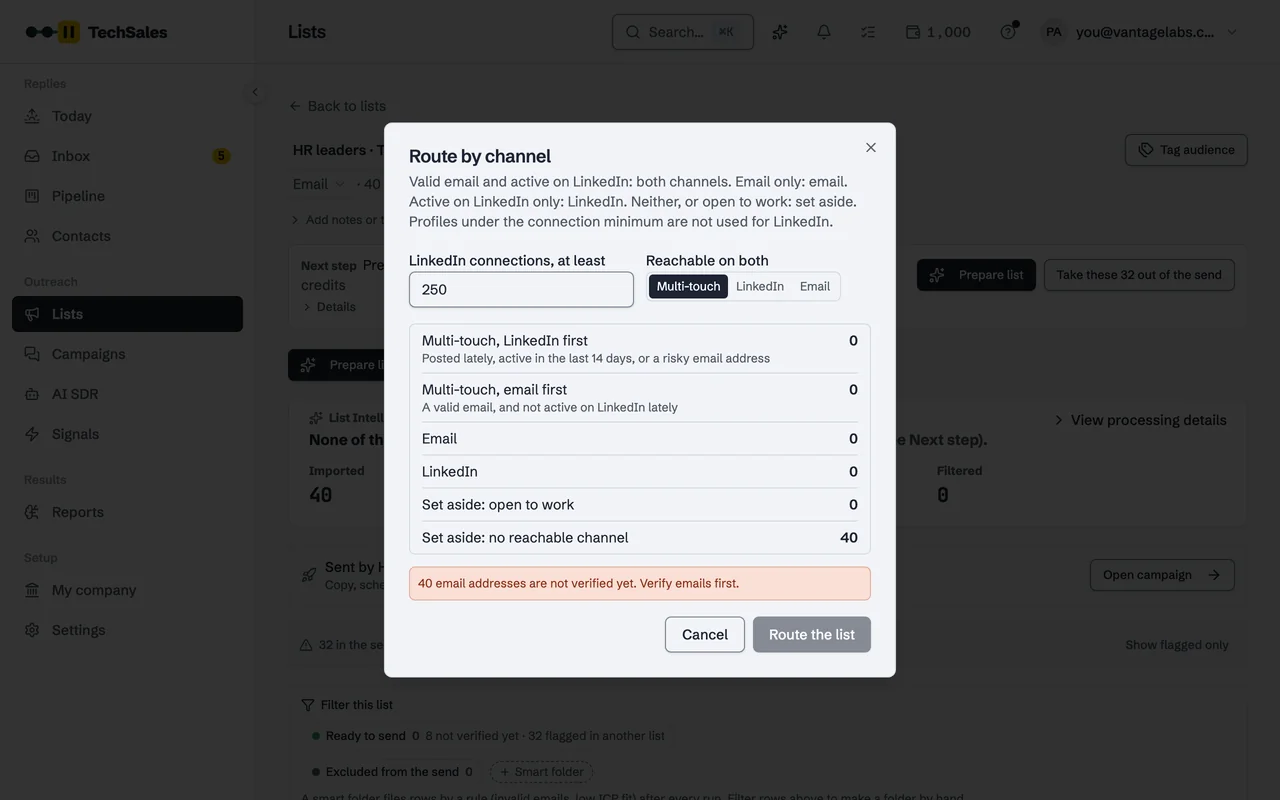
Route by channel
Before a campaign is set up, Route by channel sorts the list:
- A valid email and active on LinkedIn: both channels (multi-touch).
- A valid email only: email. Active on LinkedIn only: LinkedIn.
- Open to work, or no reachable channel: set aside.
- Profiles under the connection minimum (250 by default) are not used for LinkedIn.
- For people on both, recent LinkedIn activity (posted in the last 14 days) or a risky email address means LinkedIn goes first; otherwise email does.
One timeline, two tools
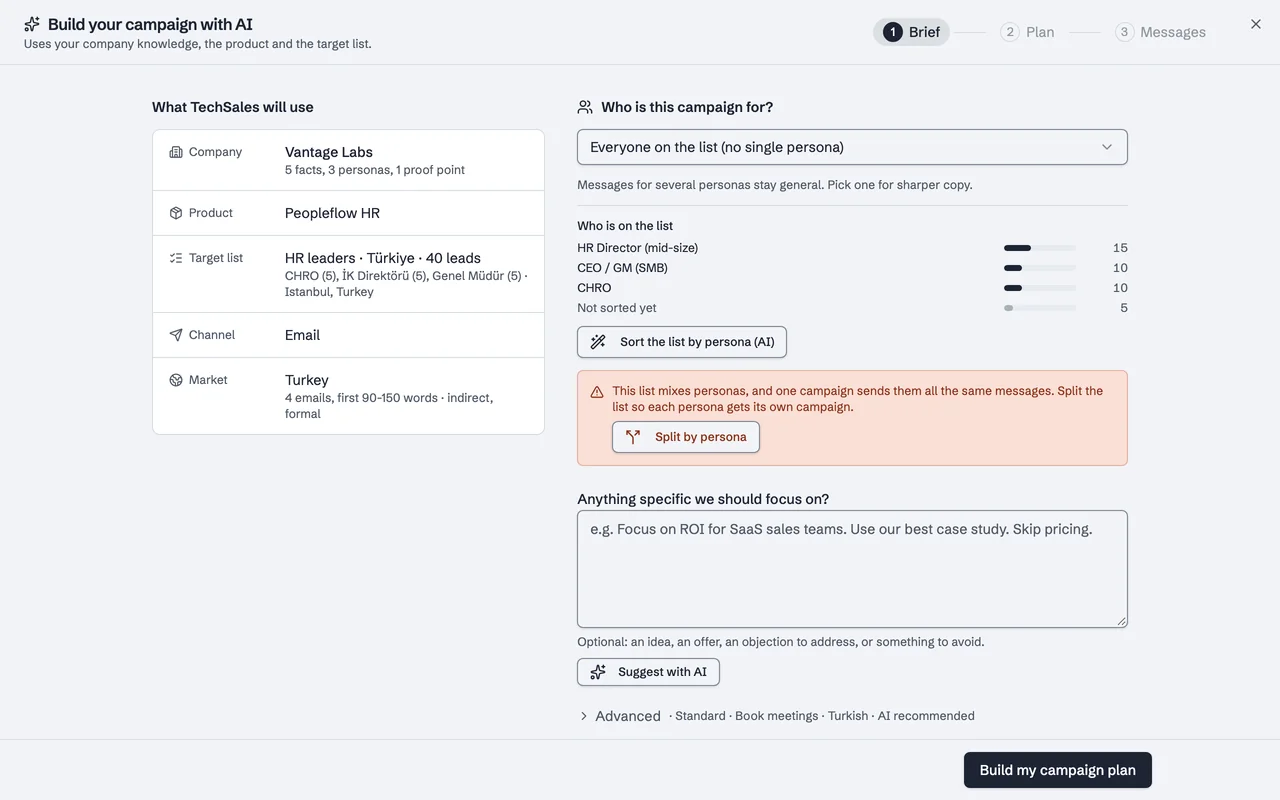
You write and approve the whole sequence once, in the Campaign Builder. TechSales creates the email campaign in Instantly and the LinkedIn campaign in HeyReach, then hands each person to their second channel when that step is due. Before adding someone to the second channel it re-checks replies and Do Not Contact, so nobody is added twice or after they answered.
A reply on one channel stops the other
Every 15 minutes the runner reads who has replied. If someone answers your email, their LinkedIn steps are stopped in HeyReach; if they answer on LinkedIn, they are moved out of the Instantly campaign. Each tool also stops its own sequence on a reply. Out-of-office replies are ignored for this, and an opt-out puts the person on Do Not Contact on every channel.
Why it matters: a second-channel message after someone has already replied is the fastest way to turn an interested lead into an annoyed one.
Frequently asked questions
- Do I need both Instantly and HeyReach?
- Only for multi-touch. An email-only campaign runs on Instantly or Smartlead, a LinkedIn-only campaign on HeyReach.
- Does it work with Smartlead?
- Smartlead campaigns can be created and run from TechSales, but the interleaved email plus LinkedIn runner currently supports Instantly and HeyReach only.
- How fast does the other channel stop?
- The check runs every 15 minutes, so a reply stops the other channel within about a quarter of an hour.
- Is multi-touch included in every plan?
- Email and LinkedIn in one sequence is part of every plan. See Pricing.
See it on your own market
Access is invite only and starts with a demo call. We walk through TechSales on your own list and tools.