
TechSales and HeyReach
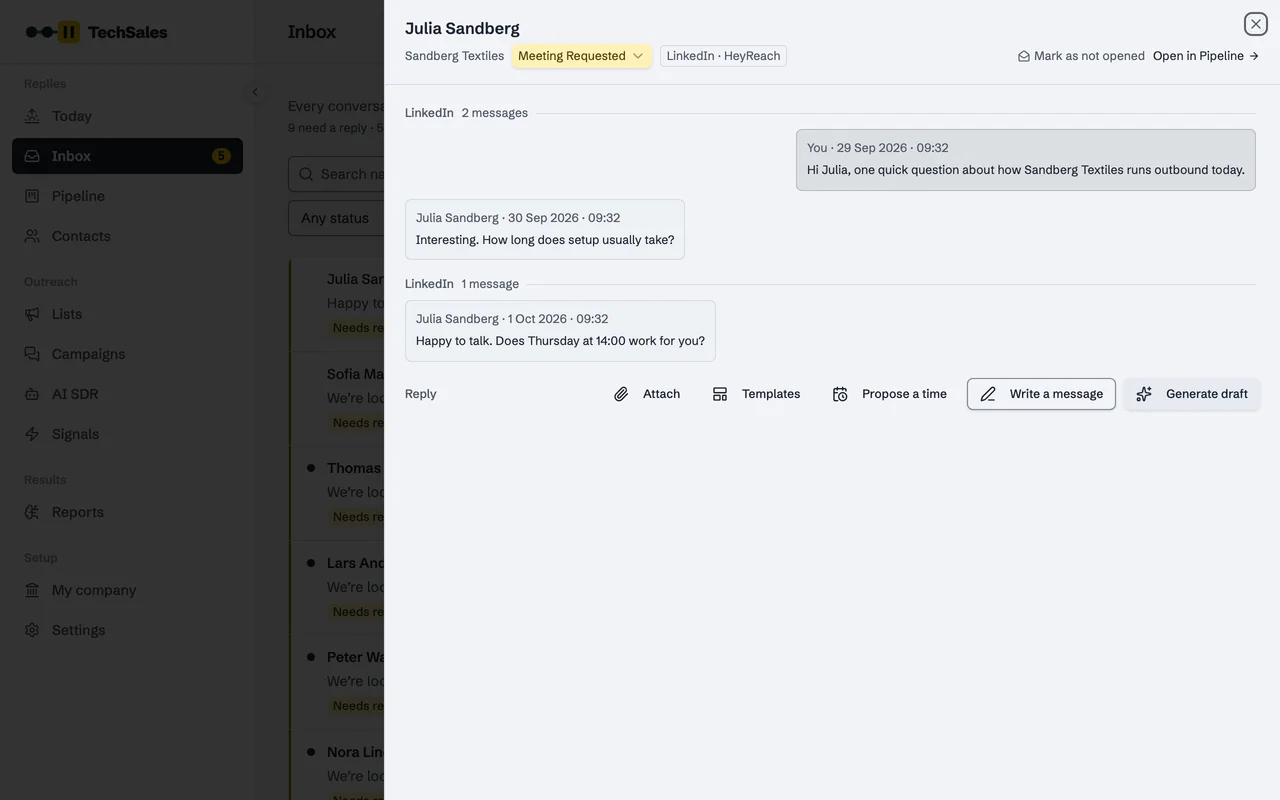
HeyReach sends LinkedIn connection requests and messages from your team's accounts. TechSales picks who should get LinkedIn, sets up the HeyReach campaign, brings LinkedIn replies into the Inbox and stops LinkedIn steps when someone answers your email.
In short
- Connect with your HeyReach API key.
- TechSales creates a HeyReach list, adds the leads, creates the campaign and starts it after your approval.
- LinkedIn conversations are read every two minutes and LinkedIn seats and their limits hourly.
- In a multi-touch campaign, an email reply stops the person's LinkedIn steps in HeyReach within about 15 minutes.
Last checked:
Set it up
- In HeyReach, copy your API key from the Integrations settings.
- In TechSales, open Settings, then Connections. In the Integrations card, paste the key into the HeyReach field.
- TechSales tests the key against HeyReach before saving it. A key the provider rejects is not stored; an accepted key is kept in an encrypted vault and never shown again.
- Choose how much history to import: from today onwards (recommended), the last 30 or 90 days, or from a date you pick.
What moves in which direction
| Direction | What | When |
|---|---|---|
| HeyReach → TechSales | LinkedIn conversations and replies | Every 2 minutes |
| HeyReach → TechSales | LinkedIn sender accounts and their daily capacity | Hourly |
| HeyReach → TechSales | Sender health and campaign status | Every 15 minutes to 6 hours |
| TechSales → HeyReach | A lead list, the campaign and its sequence, and the start | When you approve |
| TechSales → HeyReach | LinkedIn replies you send from the TechSales Inbox | When you send |
| TechSales → HeyReach | Stop a lead in a campaign (after a reply elsewhere, or an opt-out) | Within about 15 minutes |
Who goes to LinkedIn
Route by channel only sends people to LinkedIn who are active there and have at least the connection minimum (250 by default). People who are open to work are set aside. That keeps your LinkedIn seats for people likely to see the message.
Not supported: writing TechSales stages back to HeyReach as tags (HeyReach has no endpoint for it), and pushing Do Not Contact to a HeyReach block list. People are stopped in their campaign instead.
Frequently asked questions
- Do I need a HeyReach subscription?
- Yes. TechSales runs on your HeyReach account and the LinkedIn senders you connected there.
- Can TechSales send LinkedIn messages without HeyReach?
- No. LinkedIn sending goes through HeyReach (Dripify is also supported for adding leads to an existing campaign).
- Are LinkedIn replies classified like email?
- Yes. They get the same stages, drafts and reply modes in the Inbox.
See it on your own market
Access is invite only and starts with a demo call. We walk through TechSales on your own list and tools.