Instantly
TechSales and Instantly
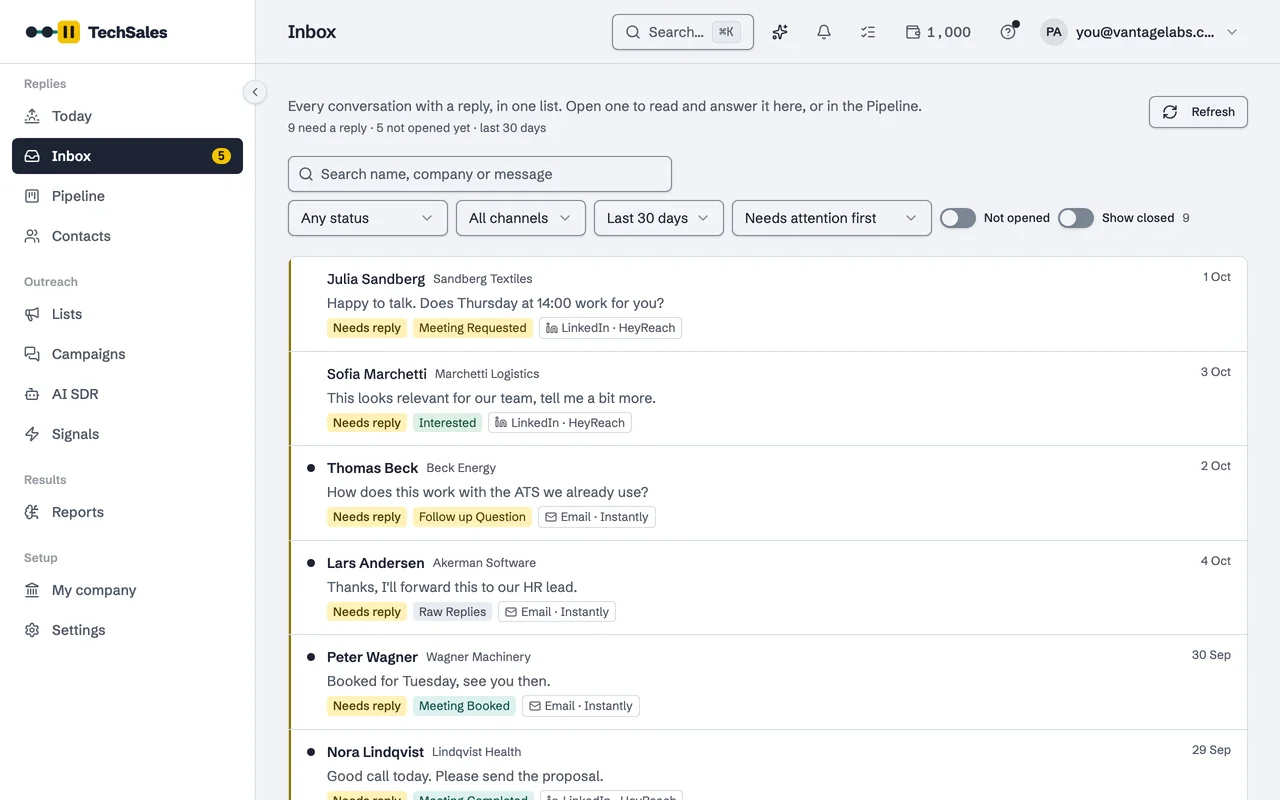
Instantly sends your cold email; TechSales decides who gets it, writes and sets up the campaign in your Instantly account, and brings every reply back into one Inbox.
In short
- Connect with your Instantly API key; TechSales works through Instantly's API, with no webhook to set up.
- TechSales creates campaigns in Instantly, adds the leads, pushes the sequence and starts it after your approval.
- Replies are read every two minutes; mailbox daily limits hourly; mailbox health every six hours.
- Do Not Contact entries go to Instantly's block list every ten minutes, and a reply on LinkedIn stops the person in Instantly.
Last checked:
Set it up
- In Instantly, create an API key (API v2) in Settings, Integrations.
- In TechSales, open Settings, then Connections. In the Integrations card, paste the key into the Instantly field.
- TechSales tests the key against Instantly before saving it. A key the provider rejects is not stored; an accepted key is kept in an encrypted vault and never shown again.
- Choose how much history to import: from today onwards (recommended), the last 30 or 90 days, or from a date you pick.
What moves in which direction
| Direction | What | When |
|---|---|---|
| Instantly → TechSales | Replies, with a link back to the conversation in Instantly's Unibox | Every 2 minutes |
| Instantly → TechSales | Mailboxes, daily limits and what each actually sent | Hourly |
| Instantly → TechSales | Mailbox health (bounce rate, warm-up score) | Every 6 hours |
| Instantly → TechSales | Campaign status and analytics | Every 15 minutes |
| TechSales → Instantly | New campaigns, leads, sequence steps and edits you approve | When you approve |
| TechSales → Instantly | Replies you send from the TechSales Inbox | When you send |
| TechSales → Instantly | Do Not Contact emails and domains, to the block list | Every 10 minutes |
| TechSales → Instantly | Stage tags, when a stage matches one of your Instantly lead labels | On stage change |
What TechSales adds on top
- Lists are cleaned and verified before they reach Instantly. See list preparation.
- Daily limits feed the AI SDR: when your mailboxes are used below target, it prepares the next list.
- With HeyReach connected, Instantly becomes the email half of a multi-touch sequence, and a LinkedIn reply moves the person out of the Instantly campaign.
- Deleting a live list in TechSales pauses its Instantly campaign.
Frequently asked questions
- Do I still need an Instantly subscription?
- Yes. TechSales runs on your own Instantly account, mailboxes and warm-up.
- Can I use Instantly and Smartlead in the same workspace?
- No. A workspace sends email through one of the two.
- Will TechSales change my existing Instantly campaigns?
- It reads them for replies and stats. It changes a campaign's steps only when you approve an edit in TechSales.
See it on your own market
Access is invite only and starts with a demo call. We walk through TechSales on your own list and tools.