One Inbox for email and LinkedIn replies
Replies arrive in Instantly, Smartlead and HeyReach at different times. TechSales pulls them into one Inbox, reads what each person wants, sets a stage and drafts the answer, so you work from one list instead of three tools.
In short
- Email replies (Instantly, Smartlead) and LinkedIn replies (HeyReach) land in one Inbox, filterable by channel, status and date.
- Each reply is classified and given a stage such as Interested, Follow up Question, Meeting Requested or Not Interested.
- Generate draft writes an answer from the thread and your company knowledge; Propose a time offers two free slots and a booking link.
- Reply automation is Manual (a person approves every reply), Assisted (only low-risk replies go on their own) or Autopilot; pricing and objections always wait.
- Opt-outs and 'we already work with you' replies put the person or company on Do Not Contact everywhere.
Instead of: checking each sending tool's own inbox and keeping stages in a spreadsheet or a separate CRM board.
Last checked:
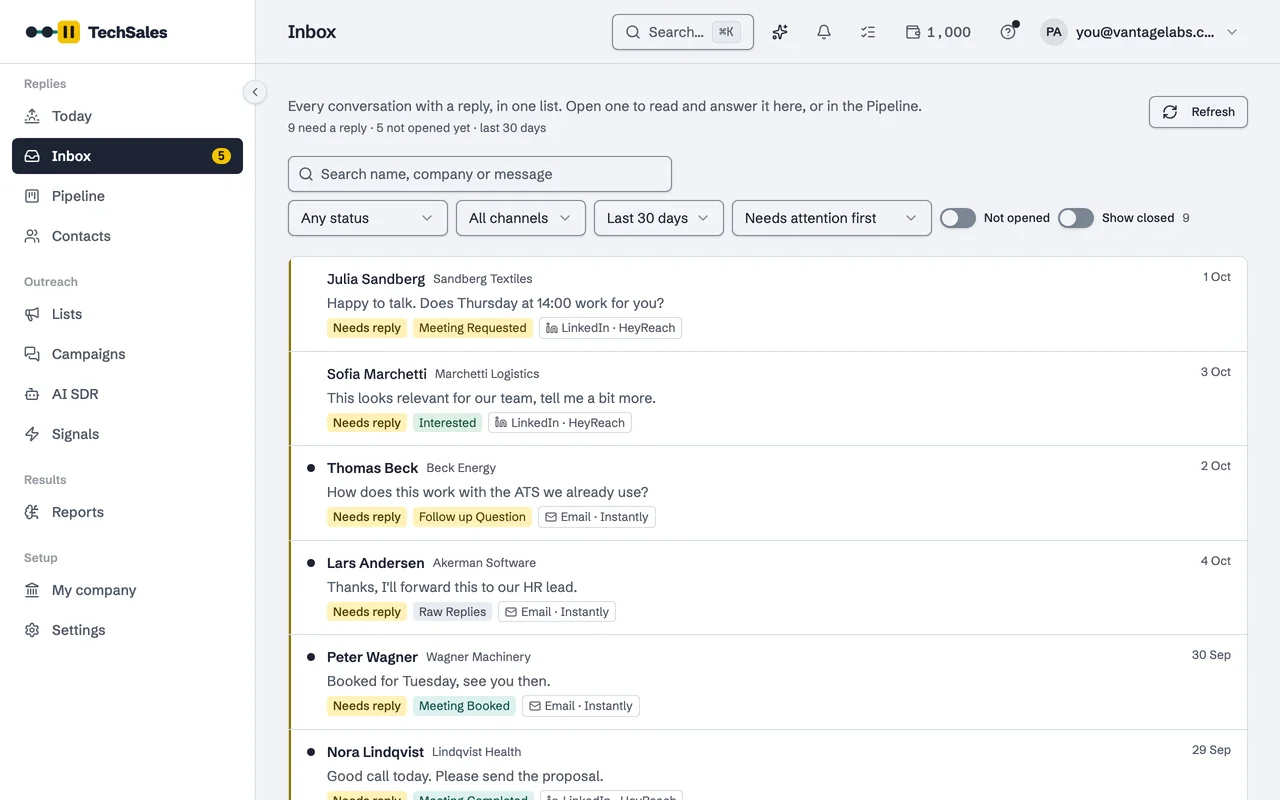
Every conversation with a reply, in one list
Instantly and HeyReach are read every two minutes; Smartlead replies arrive by webhook. Each row shows the person, the company, the last message, the stage and the channel it came from, with a filter for status, channel and period and a Needs attention first sort.
Stages instead of folders
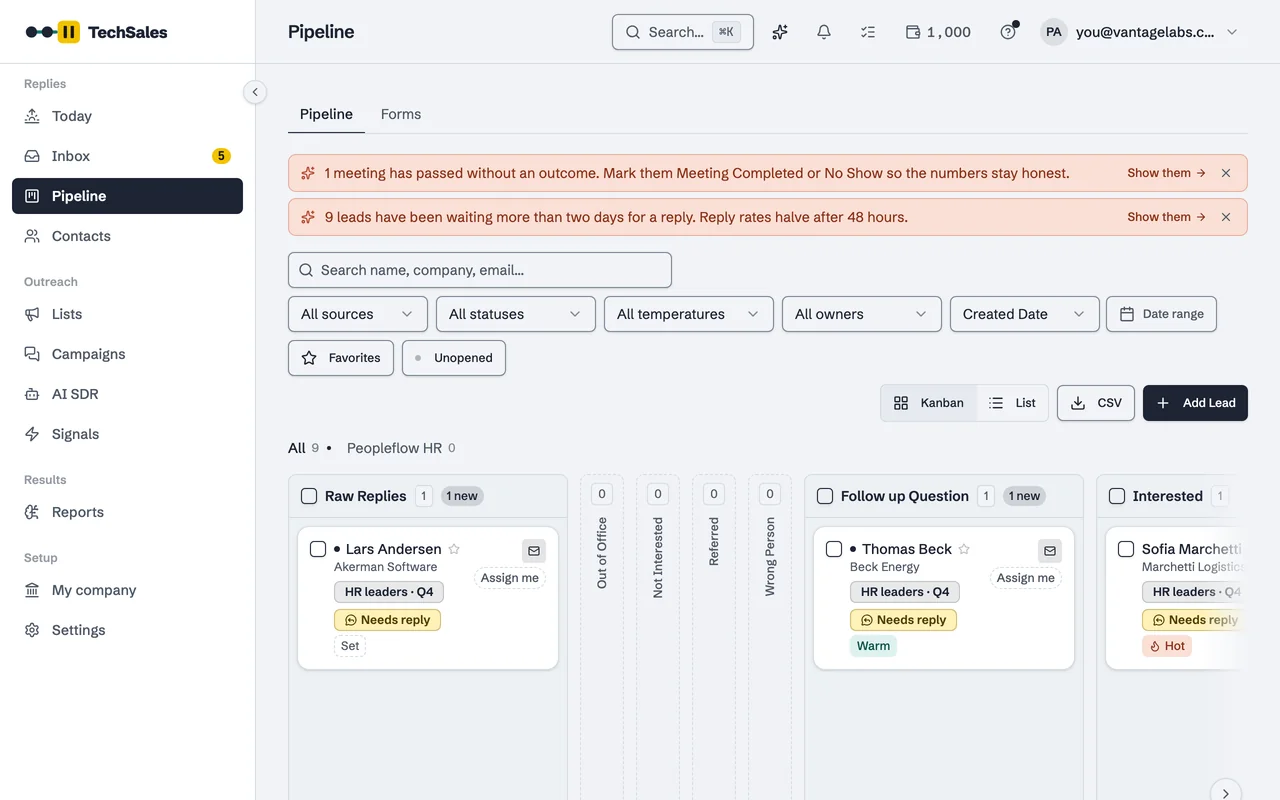
The stage picker covers the whole path from a first reply to a deal: Raw Replies, Out of Office, Not Interested, Referred, Wrong Person, Follow up Question, Interested, Meeting Requested, Meeting Booked, Meeting Completed, No Show, Demo / Discovery, POC / Proposal, Won and Lost. The same stages are the columns of the Pipeline.
Drafts in your voice, sent by you
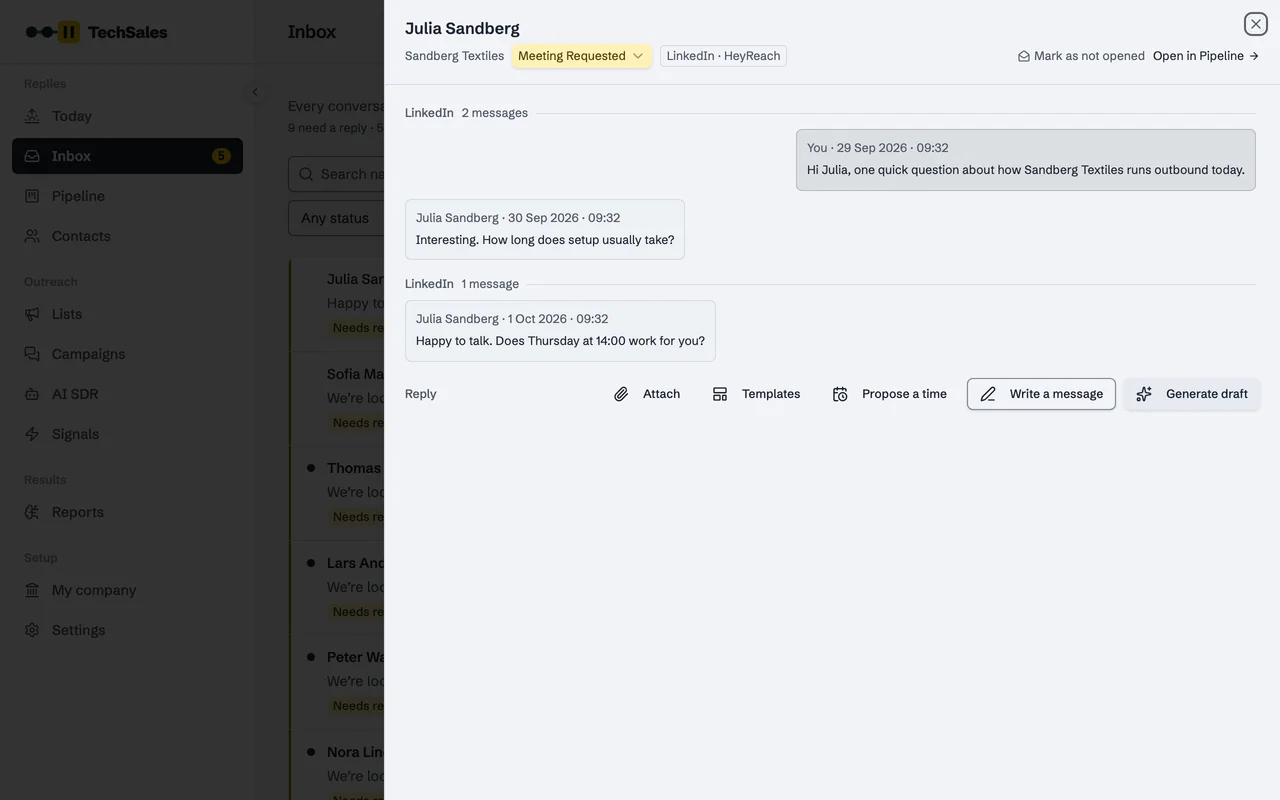
Open a conversation and Generate draft writes the answer from the thread, your company knowledge and the language the person wrote in, Turkish or English. Propose a time puts two real free times and your booking link into the reply. Templates holds the answers you reuse. The reply is sent from the same tool the conversation started in.
How much it does on its own
| Mode | What it does |
|---|---|
| Manual | Reads, sorts and drafts. A person approves every reply. |
| Assisted | Sends only low-risk replies on its own, such as a thank-you or a 'later, please'. The rest waits. |
| Autopilot | Also answers simple interest and information requests. Pricing and objections still wait. |
Frequently asked questions
- Does the Inbox read my Gmail or Outlook?
- No. Conversations come from the sending tools. A connected Gmail or Microsoft 365 mailbox is used to send a reply a person clicks send on, and its calendar to spot booked meetings. See Gmail and Microsoft 365.
- Are Turkish replies understood?
- Yes. Classification handles Turkish and English, including Turkish out-of-office messages and dates such as 'Kasım'da'.
- What happens when someone says 'remove me'?
- Opt-out phrases in Turkish and English put the person on Do Not Contact on every channel, even when reply classification is switched off.
- Can a meeting be booked from a reply?
- With Calendly connected and Book meetings automatically on, a time the lead names is checked against your real availability and booked. See Calendly.
See it on your own market
Access is invite only and starts with a demo call. We walk through TechSales on your own list and tools.