Guide
How to clean a B2B lead list before cold outreach
Short answer
Fix names and company names, remove rows that are not people, verify every email, take out existing customers and anyone you already contacted, and split what is left into groups you can write one message to. Keep removed rows in folders with a reason rather than deleting them.
In short
- Cleaning protects the sending domain (bounces) and the message (wrong names, wrong persona).
- Verification should be two-pass: a general verifier, then a catch-all specialist on uncertain results.
- Suppression against your CRM and past outreach matters as much as the data itself.
- One campaign per persona makes the copy specific without writing every email by hand.
Last checked:
Step by step
- Tidy first names, last names and company names: casing, missing local letters, legal suffixes such as Inc., GmbH or A.Ş.
- Set aside rows that are not people: company names in the name field, placeholders, test entries, junk titles.
- Find missing emails, then verify every address. Keep catch-all and unknown results apart from valid ones.
- Remove existing customers, open deals, Do Not Contact entries and anyone already contacted in another list.
- Score fit against your ideal customer profile and drop weak fits.
- Split by persona, and by gender where your language uses honorifics (Bey/Hanım, Herr/Frau).
Signs a list is not ready
- Names in capitals or without their local letters (Esref instead of Eşref).
- Shared mailboxes such as info@ or sales@ mixed with named people.
- More than one persona in the same campaign.
- People who already replied to you, or who are customers, still in the list.
How TechSales does it
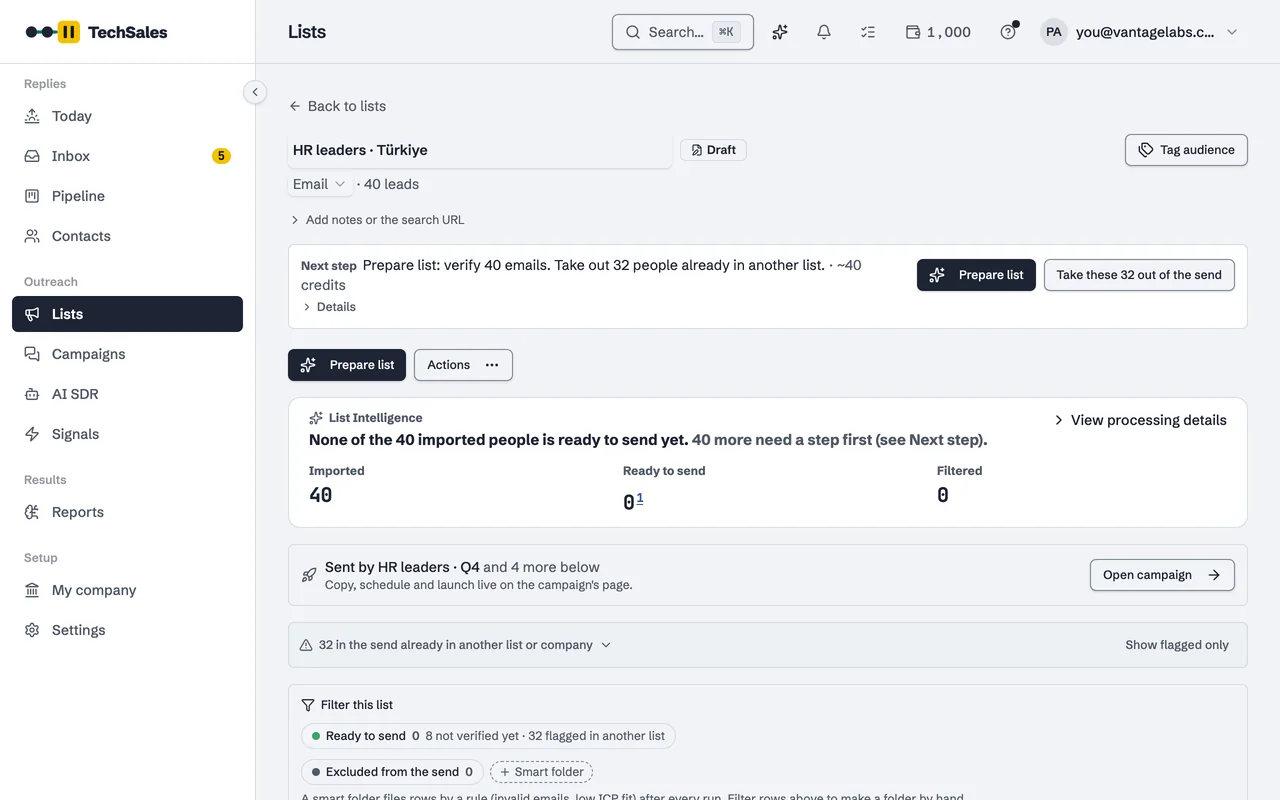
Prepare list runs these steps on the server, with market packs for name rules, Reoon then BounceBan for verification, smart folders for what is set aside and checks against your Pipeline, other lists, Do Not Contact and HubSpot. See List preparation and cleaning.
Frequently asked questions
- Should I delete bad rows?
- Better to move them into folders with the reason. You can check them, and a rule can re-file rows as the data changes.
- How do I handle catch-all addresses?
- Run a second check with a verifier built for catch-all domains and keep whatever is still uncertain out of the first send. See Catch-all emails.
- Is a spreadsheet enough?
- For a few hundred rows, often yes. The cost is the hand-offs: exports to a verifier, re-imports, and checking against the CRM each time.
See it on your own market
Access is invite only and starts with a demo call. We walk through TechSales on your own list and tools.