List preparation and cleaning
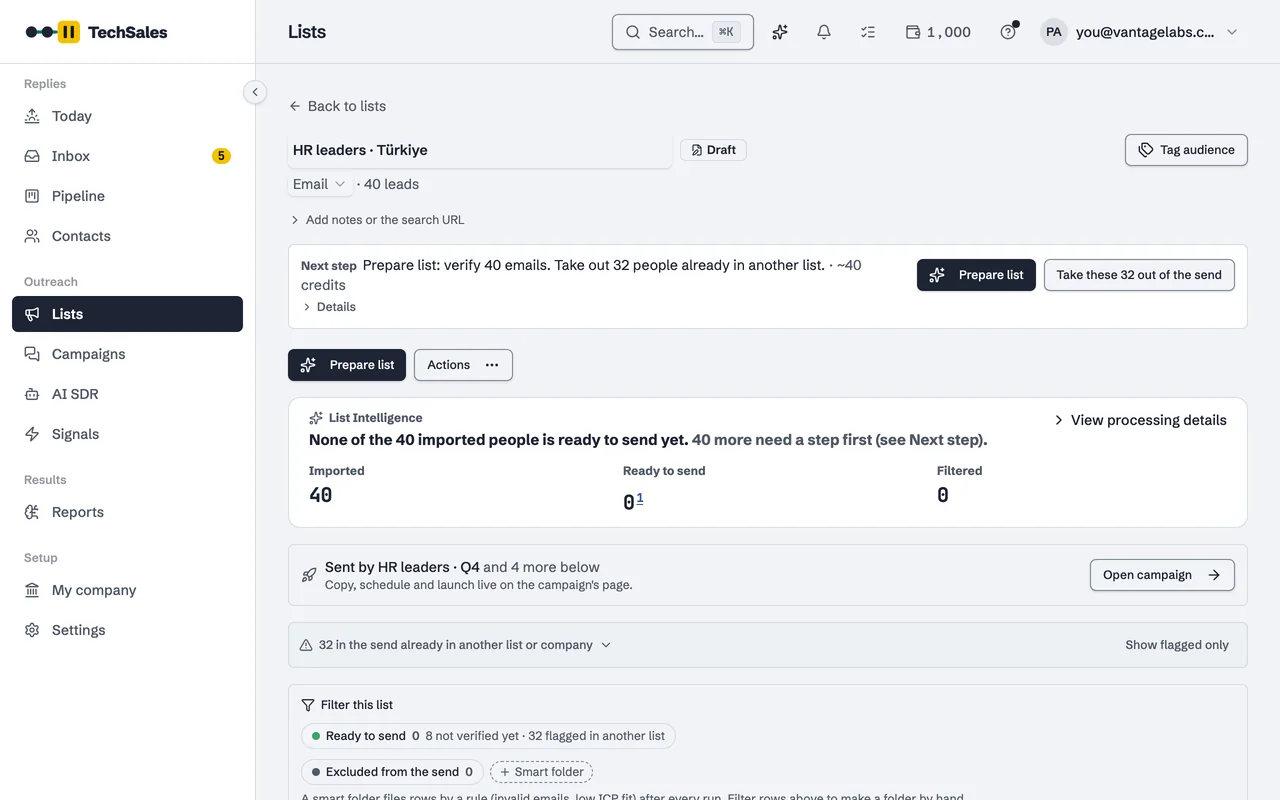
A list from Apollo, Sales Navigator, HubSpot or a CSV is rarely ready to send. Prepare list tidies it, sorts out what is not a person, finds and verifies emails, and splits it into groups you can write one message to.
In short
- One action, Prepare list, runs the clean-up steps you pick on the server; you can close the panel while it works.
- Names and company names are tidied for the target market: casing, legal suffixes such as A.Ş. or GmbH, and Turkish letters.
- Non-people, junk companies, junk titles and invalid or risky emails move into their own folders instead of being deleted.
- People already in your Pipeline, in another list or on Do Not Contact are flagged before the send.
- Lists can be split by persona and by gender, so each campaign speaks to one buyer type with the right form of address.
Instead of: exporting to a spreadsheet, fixing names and titles by hand, and splitting lists with formulas or a separate enrichment workbook.
Last checked:
What Prepare list does
Prepare list is a set of steps grouped as Clean, Reach and Personalise. You choose which ones run on a given list:
- Tidy names and companies: proper casing, legal suffixes removed, a short company name you can use in copy.
- Sort out non-people and junk: rows that are a company, a placeholder or a test entry.
- Move to folders: rows that should not be sent go to folders such as Invalid emails or Risky emails.
- Gender: a first-name based guess (male, female, unisex or unknown), used for the form of address.
- ICP fit: a 0 to 100 score against your personas, with a band of Strong, Possible or Weak fit.
- Find emails, Verify emails, LinkedIn profile and activity, Company data, and Opening lines (icebreakers).
Market packs: cleaning that knows the country
How a name should look depends on the market. Each list follows a market pack: Turkey, DACH, UK & Ireland, US, France, Nordics & Benelux, Gulf, or a generic one. The pack decides name casing, which company suffixes are stripped, which honorifics exist and whether the gender step is on by default.
- Turkey: Turkish casing (İrem, not Irem), letters restored where an export lost them (Esref Şimşek becomes Eşref Şimşek), A.Ş. and Ltd. Şti. removed, Bey and Hanım as forms of address.
- DACH: Herr and Frau. France: Monsieur and Madame. Gulf: Mr., Ms. and Mrs., with Dr. and Eng. kept.
- UK, US and Nordics have no honorifics in cold email, so the gender step is off there by default.
For Turkish lists specifically, see Turkish greeting rules.
Nothing is silently deleted
Clean-up moves rows rather than dropping them. Smart folders such as Not a person, Junk companies, Invalid emails and Risky emails (catch-all or unknown) are rules that re-run as the data changes, and you can open each one to see who is in it and why. The same applies to people you have already reached: they are flagged as Already reached, In another list or Do Not Contact, and the check runs again at launch.
Shared mailboxes (info@, sales@, iletisim@) are not removed automatically. On an unverified list they trigger a warning before launch so you decide.
Split by persona and by gender
A campaign written for a CHRO and a Head of Talent at once fits neither. Split by persona creates one list per persona (groups of at least ten, with an Other titles list for the rest). Split by gender creates Women, Men and Unisex or unclear lists, so copy that uses Herr, Frau, Bey or Hanım only goes to people it fits. Unclear names get the same message without the honorific rather than a guess.
Frequently asked questions
- Where can a list come from?
- Apollo or another people search, a Sales Navigator search, HubSpot contacts, a public Google Sheet, a Clay webhook or a CSV upload.
- How is gender worked out?
- An AI model reads the first name and returns male, female, unisex or unknown. A gender you correct by hand is kept and never guessed again.
- Does cleaning cost credits?
- Steps that call a paid provider, such as verification or email finding, use credits or run on your own key. The cost is shown before the run. See Pricing.
- Can I undo a clean-up?
- Rows are moved into folders rather than deleted, so you can open a folder and put a row back into the send.
See it on your own market
Access is invite only and starts with a demo call. We walk through TechSales on your own list and tools.