Signals: company news, engagement and website visits
A reply, a funding round, a new leader or a return visit to your pricing page says more about timing than any list. Signals collects them in one feed, tied to the companies and people in your Pipeline.
In short
- Four views: Live feed, Companies, Active deals and Monitoring.
- Company signals include funding, hiring, expansion, product launches, regulation, a new leader and a past champion joining a new company.
- News monitoring is opt-in and runs on companies you choose; hiring and job changes come from LinkedIn through your own Apify token.
- Website visitors names only people you already know: someone who arrived through a tracked link from your outreach or entered their email in a form. It does not identify anonymous companies.
Instead of: separate news alerts, a job-change tracker and someone checking LinkedIn account by account.
Last checked:
One feed, filtered by kind
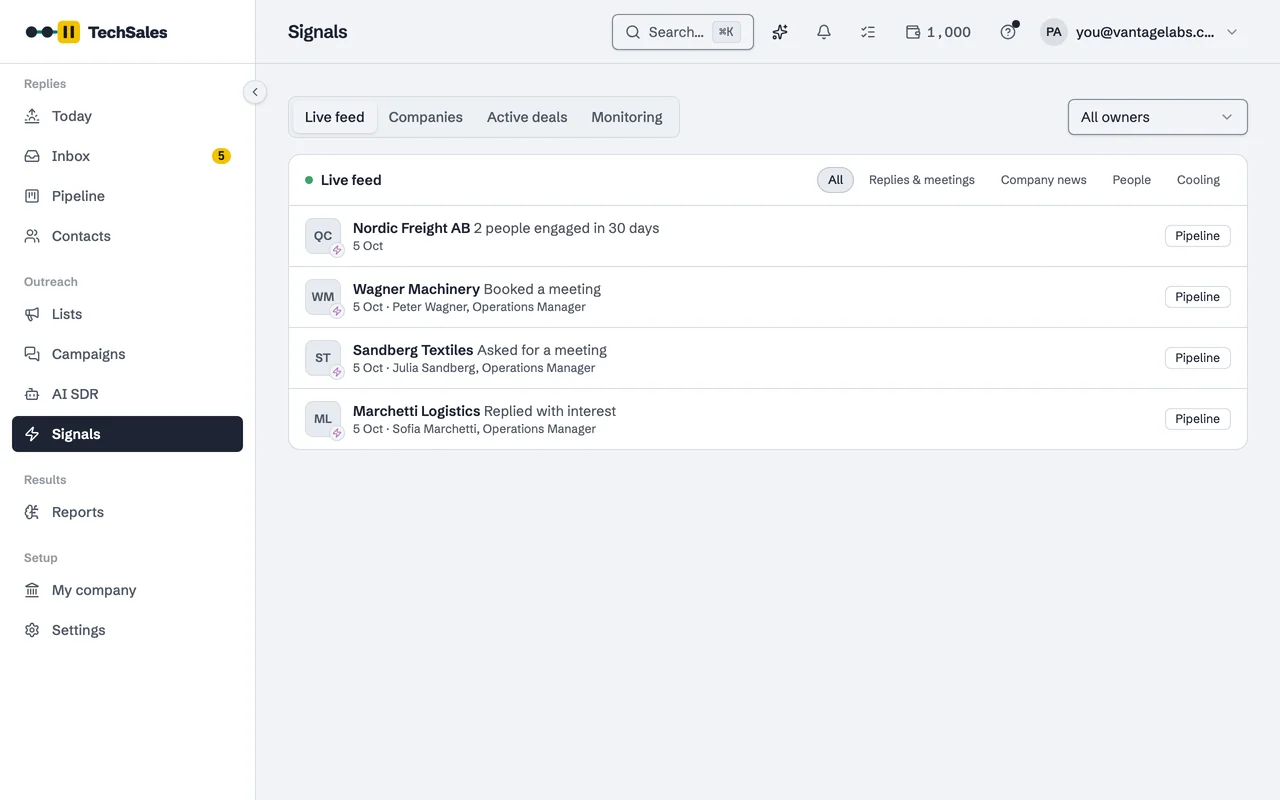
The Live feed lists what happened, newest first: who engaged, asked for a meeting or replied with interest, and what changed at a company. Filters split it into Replies & meetings, Company news, People and Cooling. Each item links to the lead in the Pipeline.
Where the signals come from
- Your own outreach: replies, meeting requests, booked meetings and engagement across email and LinkedIn.
- Company news: when you switch monitoring on, watched companies are searched for news (funding, launches, expansion, regulation), each company at most once a week. Each search costs a credit.
- LinkedIn: job listings for hiring signals and profile changes for job changes, through your own Apify account.
- Website visits: from the tracking snippet, see below.
Signals also feed the rest of the product: the AI SDR looks first at companies with recent signals, and the Campaign Builder has a Signal-led template that opens on what just happened at the company.
Website visitors, honestly scoped
A small script on your website records visits by people TechSales can already name: someone who clicked a tracked link in your outreach, or who typed their email into a form on your site. Their visits show up as website-visit signals on the lead. There is no reverse-IP lookup, so anonymous visitors stay anonymous. A cookieless mode is available. The snippet is set up under Settings, Integrations.
Frequently asked questions
- Does TechSales tell me which companies visited my website?
- No. It only identifies visitors who are already your leads, through a tracked link or a form. It does not do reverse-IP company identification.
- Do signals cost credits?
- Signals from your own replies and meetings do not. News monitoring costs a credit per company search and is off until you switch it on. LinkedIn job-change checks run on your own Apify token.
- Can I write a follow-up from a signal?
- Yes. The Signal-led template in the Campaign Builder opens on the event, and signals on open deals can be used as the reason for a follow-up.
See it on your own market
Access is invite only and starts with a demo call. We walk through TechSales on your own list and tools.