An AI SDR that refills your campaigns
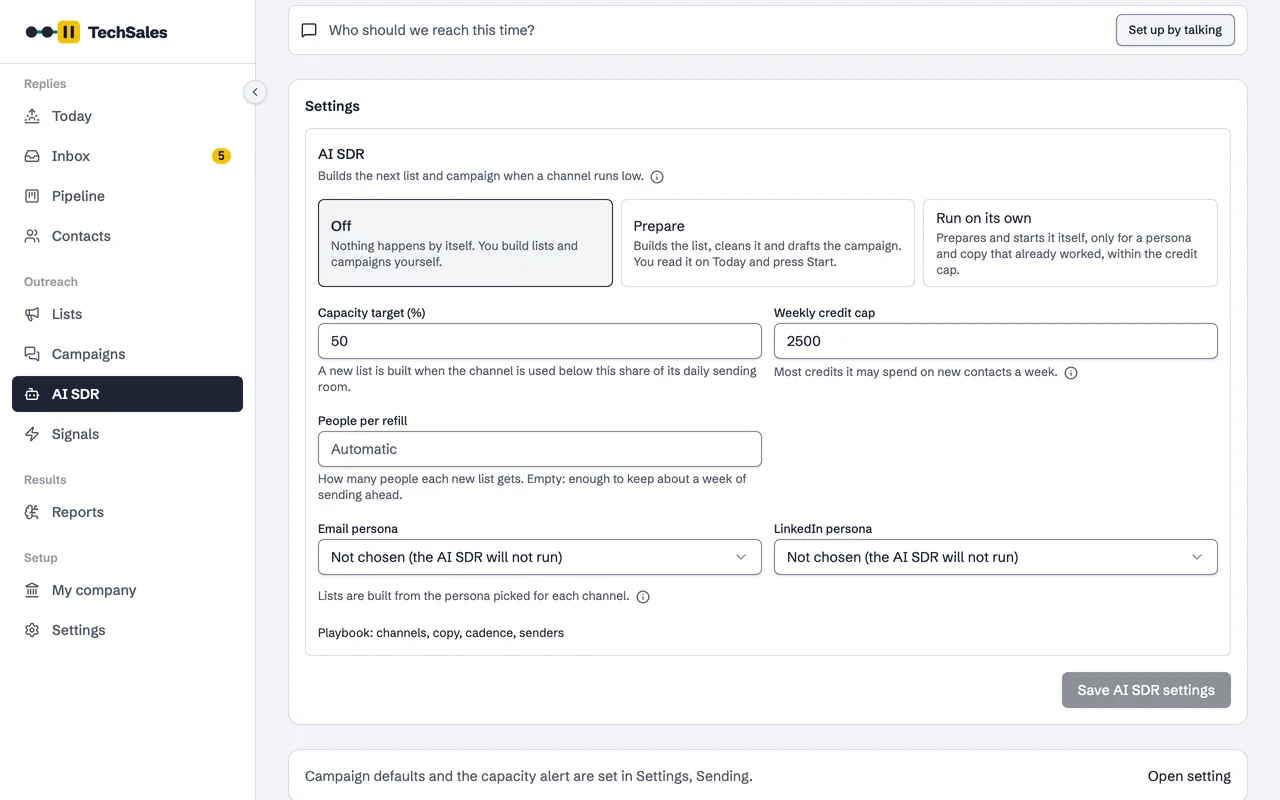
When a mailbox or LinkedIn seat is running out of people to write to, the AI SDR builds the next list from your persona, cleans and verifies it and drafts the campaign. Depending on the mode, you press Start or it starts the campaign itself, inside a weekly credit cap.
In short
- Three modes per workspace: Off (nothing happens on its own), Prepare (it builds everything and you press Start) and Run on its own (it starts the campaign itself).
- It reads each mailbox's and LinkedIn seat's daily limit from your sending tools and acts when a channel is used below its capacity target (50 percent by default).
- It checks every six hours, and spends at most the weekly credit cap you set (2,500 by default), never more than your balance.
- Run on its own only reuses a persona and copy that already worked, and an hourly brake pauses its campaigns on high bounces or mostly negative replies.
Instead of: someone noticing the mailboxes are idle and rebuilding a list, a sequence and a launch by hand every week.
Last checked:
The three modes
| Mode | What happens | Who presses Start |
|---|---|---|
| Off | Nothing happens by itself. You build lists and campaigns yourself. | You |
| Prepare | Builds the list, cleans it and drafts the campaign. You read it on Today. | You |
| Run on its own | Prepares everything and starts it, but only for a persona and copy that already worked, within the credit cap. | The AI SDR (AI SDR plan) |
When it acts
Every six hours it looks at sending capacity. Daily limits come from your tools: each Instantly mailbox and each HeyReach LinkedIn seat. Slow-ramp mailboxes count at what they can send now, and only sending days are counted. When a channel is used below the capacity target, or is about to run out of people, it plans a refill for that channel: one per channel per week, 100 to 500 people (300 by default).
- Picks the persona to search, looking first at companies with recent signals.
- Builds the list, then runs Prepare list: clean-up, verification, gender and persona split.
- Drafts the campaign from your company knowledge and the copy that worked before.
- In Prepare, waits on Today for you to press Start. In Run on its own, starts it.
The limits it works within
- Weekly credit cap: the most it may spend on new contacts in a week. It never spends more than the balance you have.
- Brake: checked hourly on the campaigns it started itself. It pauses one when more than 5 percent of sends bounce (after at least 50 sends) or when more than 60 percent of replies are negative (after at least 5 replies).
- Forms of address: Bey, Hanım, Herr or Frau are checked in every step and A/B version against the list's gender before anything goes out.
- Do Not Contact, existing customers and people already reached are excluded from every search and checked again at launch.
Frequently asked questions
- Will it send emails I have not seen?
- Only in Run on its own, and only with a persona and copy that already produced results. In Prepare, nothing starts until you press Start.
- What does it cost?
- Building lists uses credits, capped weekly by you. Run on its own is part of the AI SDR plan. See Pricing.
- Can it reply to people?
- Replies are a separate setting. In the Inbox, reply automation is Manual, Assisted or Autopilot; pricing questions and objections always wait for a person.
- Which tools does it use?
- Your own sending tools: Instantly for email and HeyReach for LinkedIn, plus your data source for the list.
See it on your own market
Access is invite only and starts with a demo call. We walk through TechSales on your own list and tools.